Create QR codes for almost anything
Generate a static QR code for:
- Website URLs
- Plain text
- Email addresses
- Phone numbers
- Wi-Fi networks
- Social media profiles
- Bitcoin/Ethereum addresses
- Contact information
- And more















Download as:
*jpeg does not support transparent colors
Embed QR Code:
THE FREE QR CODE GENERATOR
Create high-quality QR codes for free. Customize your QR code with your own colors and logo, then download it in a format suitable for websites, professional printing or even 3D printing.
GenQRCode supports popular vector and image formats including SVG, EPS, PNG, JPEG, GIF, TIFF and WEBP, as well as 3D formats such as STL, 3MF and OBJ.
Create a QR code
Your QR code.
Your way.
Your privacy matters.
Your data is transmitted over secure HTTPS connections.
We comply with the EU General Data Protection Regulation.
Your QR codes never contain third-party ads.
TRUSTED WORLDWIDE
Our QR code solution is helping businesses and individuals create, share and scan QR codes around the world.
A static QR code stores its content directly inside the QR code. Once created, it doesn't depend on GenQRCode to work and can be scanned indefinitely.
Static QR codes are ideal when the information doesn't need to change after you've printed or shared the QR code.
Always free, even for commercial use.
Your QR codes will never contain advertisements.
Static QR codes don't have an expiration date.
Use your static QR codes for personal or commercial purposes.
Generate a static QR code for:
Make your QR code match your brand or design. Change the colors and shapes or add your own logo while keeping the QR code scannable.


Download your QR code in the format you need.
Vector formats such as SVG and EPS can be resized without losing quality, making them particularly useful for professional printing.
Change the destination URL without creating and printing a new QR code. Track how often your QR code has been scanned.
Dynamic QR codes are useful for printed materials, packaging, menus, business cards, advertisements and other places where replacing an existing QR code would be inconvenient.


See how often your dynamic QR code has been scanned.
Use scan counts to understand engagement with printed materials, packaging, menus, business cards and advertisements.
Smart Dynamic QR Codes automatically send people to different destinations based on where, when, or how they scan your QR code.
Create one dynamic QR code and add smart routing rules based on the visitor's country, device or browser, day of the week, and time of day. Rules run from top to bottom: the first matching rule wins. If none match, the required fallback destination is used.
Use Smart QR Codes to automatically:
Country detection uses IP-derived information. Day and time rules use your configured time zone.
Instead of printing separate QR codes for different audiences, use one Smart QR Code to choose the right destination automatically. For example:
Because Smart QR Codes are dynamic, you can change the rules and destinations later without reprinting the QR code.
Create a mobile-friendly page that opens when someone scans your QR code. Add links, contact details, product information, downloads and other content—all in one place.
Each landing page is connected to a dynamic QR code.
Update your landing page without replacing the QR code you've already printed.
Create a landing page
Not sure which option to use?
| Feature | Static QR Code | Dynamic QR Code | Smart QR Code | Landing Page |
|---|---|---|---|---|
| Where content lives | Encoded directly in the QR code | A destination reached through a GenQRCode redirect | A destination chosen based on rules such as country, device, day or time | Shown on an editable landing page |
| Can it change after printing? | The encoded content cannot change | Yes, change the destination without reprinting | Yes, change rules and destinations without reprinting | Yes, update the page without replacing the QR code |
| Scan tracking | No | Yes, see scan counts | Yes, see scan counts | Yes, through its dynamic QR code |
| Multiple pieces of content | Yes, such as multiple contact fields in one vCard | One destination, which can contain multiple details | Multiple destinations selected by routing rules | Yes, combine links, contact details, downloads and more |
| Typical use | Wi-Fi details, plain text or a fixed URL | Printed campaigns, packaging, menus or business cards | Device, country, day or time-based routing, such as App Store vs Google Play | Business cards, promotions, products or events |
Integrate QR code generation directly into your application, workflow or AI assistant. Use the GenQRCode API for programmatic QR code generation, or connect to the GenQRCode MCP server to create static QR codes with natural-language instructions.
Generate QR codes programmatically and integrate QR code creation into your apps and workflows. Customize formats, colors, shapes, logos and more through the API. API requests require an API key.
POST /public/generate
GenQRCode-apikey: YOUR_API_KEY

{
  "type": 0,
  "text": "https://genqrcode.com"
}Connect GenQRCode to MCP-compatible AI assistants and create static QR codes using natural language. Ask your AI assistant for a website, Wi-Fi, email, contact or other supported QR code and let GenQRCode generate the file.
The public MCP tools do not require a GenQRCode account or API key. They create static QR codes and can check available QR types and file choices.
MCP server URL
https://mcp.genqrcode.com/mcp
“Create a PNG QR code for https://example.com/menu.”Set up MCP for AI
QR stands for Quick Response. A QR code is a two-dimensional barcode that devices such as smartphones can read. Its pattern of squares encodes information.
When someone scans the QR code, their device decodes the pattern and retrieves the information stored inside it.
The QR code was invented by Denso Wave in 1994 for use in the automotive industry. Today, QR codes are commonly used for websites, contact information, payments, tickets, menus, product information and much more.
Yes. Static QR codes generated with GenQRCode are free to use for any purpose, including commercial use.
No. Static QR codes do not have an expiration date because their content is encoded directly in the QR code. The destination itself can still disappear—for example, a URL can stop working even though the QR code remains readable.
The content of a static QR code cannot be changed.
If you need to change the destination later, use a dynamic QR code instead. You can change its destination without replacing the printed QR code.
First, check that the content of your QR code is correct.
If you've customized your QR code, make sure there is enough contrast between the foreground and background. Logos and custom shapes can also affect readability when they cover too much of the QR code.
Increasing the physical size of the QR code can also improve scanning, particularly when the QR code contains a large amount of information.
GenQRCode supports vector, image and 3D file formats.
Vector: SVG and EPS
Image: PNG, JPEG, GIF, TIFF and WEBP
3D: STL, 3MF and OBJ
SVG and EPS files can be enlarged without losing quality, making them particularly suitable for printing. Raster image formats such as PNG and JPEG can lose quality when enlarged.
A static QR code stores its content directly in the code and cannot be edited after printing. A dynamic QR code points to an editable destination and can track scans.
Yes. The GenQRCode API lets you generate and customize QR codes programmatically. Read the developer documentation to get started.
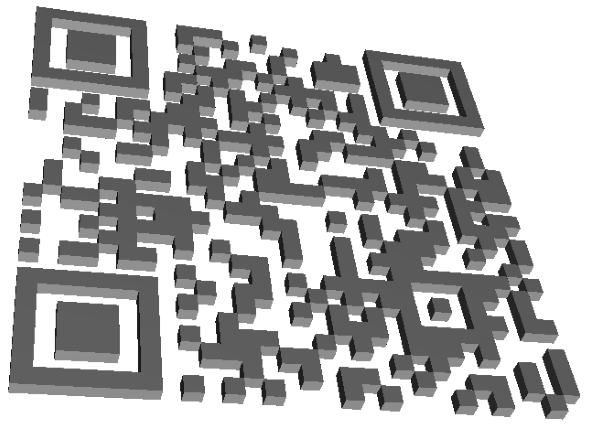
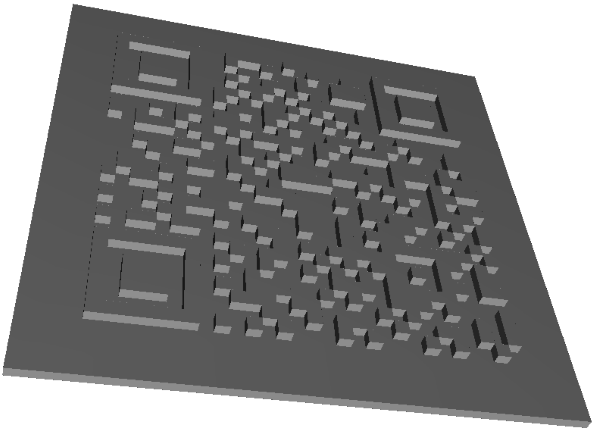
All sizes are in millimeters. Decimal values are also valid, and they can be represented using either a comma (,) or a dot (.) as the separator.
Our 3MF files are currently generated with black and white colors. We plan to introduce support for additional colors in the future.
Social Media